> ## Documentation Index
> Fetch the complete documentation index at: https://docs.blazebot.xyz/llms.txt
> Use this file to discover all available pages before exploring further.
# Setup
> Configure the AutoMod system.
## Enable AutoMod
```bash theme={null}
?automod toggle
```
Enables or disables AutoMod for the server.
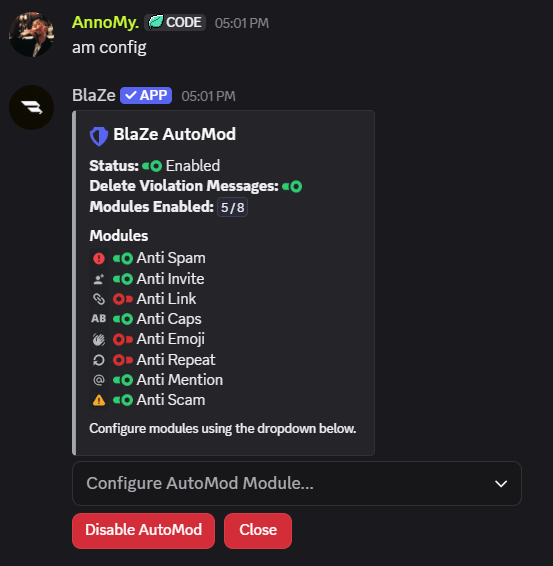
## Configuration Panel
```bash theme={null}
?automod config
```
Opens the AutoMod configuration panel.
The panel allows you to:
* Enable or disable modules
* Configure punishments
* Configure thresholds
* Manage AutoMod settings
 ## Delete Violating Messages
```bash theme={null}
?automod delete
```
Toggle whether messages that violate AutoMod rules should be automatically deleted.
## Timeout Duration
```bash theme={null}
?automod duration
```
Sets the timeout duration used by AutoMod timeout punishments.
Examples:
```bash theme={null}
?automod duration 10m
?automod duration 1h
?automod duration 7d
```
Timeout duration can be between 1 minute and 28 days.
## Delete Violating Messages
```bash theme={null}
?automod delete
```
Toggle whether messages that violate AutoMod rules should be automatically deleted.
## Timeout Duration
```bash theme={null}
?automod duration
```
Sets the timeout duration used by AutoMod timeout punishments.
Examples:
```bash theme={null}
?automod duration 10m
?automod duration 1h
?automod duration 7d
```
Timeout duration can be between 1 minute and 28 days.